Historical source and event dates are not site publication dates. Product plans, policies and availability may have changed since retrieval.
The setup
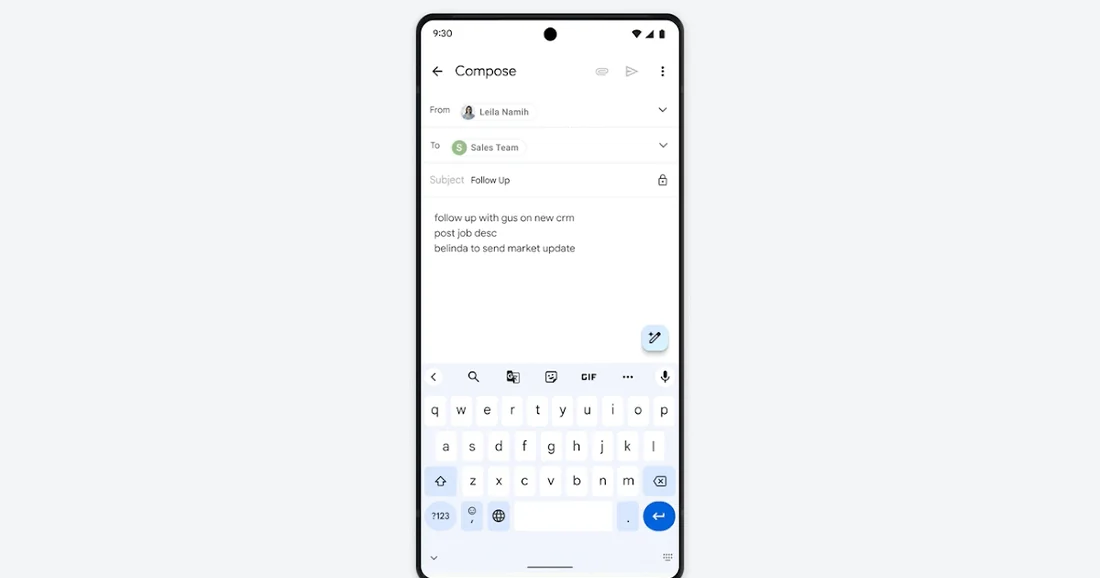
Google introduced "Help me write" to Docs and Gmail together, according to the company's own Workspace Updates post dated 29 August 2023. At launch the feature was "available as part of the Duet AI for Google Workspace Enterprise add-on" and, the post specifies, "exclusive" to that add-on, meaning a workspace needed to already be licensed for Duet AI Enterprise before anyone in it could see the feature at all, regardless of which Docs plan they otherwise held.
What the documents show
The announcement describes the mechanic plainly: a user types a short description of what they want to write, and Docs generates a draft, with follow-on options to formalize, shorten, elaborate, or bullet-point the result; Gmail's version added a "Feeling Lucky" variation button. Google's own current Docs product page, read on 16 September 2026, shows the feature has since folded into a broader "Gemini" prompt inside Docs, available from "Business Standard and above" rather than gated behind the old Duet AI Enterprise add-on name, a plan-tier change the current page states without dating it.
The friction
The 2023 post discloses an unusual piece of friction directly: "This feature will be ON by default and cannot be disabled by the user." That is not a claim about output quality or accuracy; it is a rollout-control disclosure, and it means an admin who wanted to withhold the feature from specific users had no per-user toggle available at launch, only the underlying add-on license as a gate. The post does not state a review or verification step for generated drafts, leaving that entirely to the person editing afterward.
What changed in the work
Drafting from a blank page moved, for licensed users, from a typing task to a prompting-and-editing task triggered from the same toolbar area as spelling suggestions, folding generation into an existing habit rather than opening a separate app, exactly the angle the original announcement emphasizes. Whether that saved time is not something the announcement measures; it describes the mechanism, not an outcome.
- Which Workspace edition does your organization hold, and does it still gate Help me write behind a separate add-on?
- If the feature is on by default for your users, who decided that, and when?
- What editing step happens between a generated draft and a sent document in your workflow?
The 2023 post and the current product page describe the same feature under two different licensing names, three years apart, with the on-by-default detail carried forward unremarked in the newer page.
Sources & verification
Preserved from the earlier archive. These sources have not all been freshly rechecked for this expansion.
- Write emails, documents and more with ease and speed using Duet AI in Google Docs and GmailSource date: 2023-08-29 · Retrieved: 2026-09-16
Original 2023 rollout announcement: feature mechanics, Duet AI Enterprise add-on requirement, and the on-by-default disclosure.
- Google DocsSource date: not stated · Retrieved: 2026-09-16
Current vendor product page showing the feature now surfaced through Gemini and tied to Business Standard and higher plans.
Continue the workflow
- Build a reusable writing brief before polishing the prompt
A compact, reusable specification for commissioning consistent writing without relying on a clever one-off prompt.
- Review the diff for altered facts, not just improved prose
A practical review pass for comparing document versions and finding factual changes hidden inside editorial revisions.
- Hand off an accessible document with structure intact
A human-centered final check for document structure, descriptive links, image alternatives, and usable delivery across formats.
- Gmail's Help me write launched behind a paid Workspace add-on
Google's own 2023 launch note and current help page show the drafting feature's access rules broadened, but never disappeared.