This is the supplied September 2026 report, including its caveats and source links. Its prices, vendor events and verification claims have not all been independently rechecked for this preview. Consult the original correction log alongside the chapters.
Meetings, Email, Calendar, Tasks, Projects and Team Chat: The AI Productivity Landscape
Research date: September 15, 2026. All prices in USD and verified against official pricing pages or 2026-dated secondary sources unless explicitly flagged in the "Could Not Verify" section at the end. Prices change frequently in this category — treat anything older than a quarter as stale.
A note on the framing used throughout. AI-native means the product would not exist without the AI layer; remove the model and you have nothing. AI-enhanced means a mature product that bolted AI onto an existing, independently useful core. The distinction matters commercially: AI-enhanced vendors can absorb AI costs into existing margins, while AI-native vendors must justify the entire subscription on model output quality. It also matters for buyers, because AI-enhanced tools degrade gracefully when the AI disappoints and AI-native tools do not.
A. Meeting Transcription and Summaries
This is the category where the "squeezed by built-ins" thesis is most visible, and where 2026 has produced the clearest winners and casualties.
The built-in options set the floor
Zoom underwent a significant restructuring. AI Companion features — meeting summaries, in-meeting Q&A, smart recordings — are now natively built into Zoom Workplace paid plans at no additional cost. The old "Custom AI Companion" paid add-on has been superseded by ZoomMate, which became generally available June 1, 2026 at $20/user/month (Zoom's product page now lists ZoomMate Pro at $15.99/user/month billed annually, so cite the billing basis), rolling out first to North American online and direct customers with EMEA and APAC later in 2026. ZoomMate is an agentic layer: search across Zoom plus third-party systems (Salesforce, Jira, Slack, ServiceNow), orchestration that schedules follow-ups and updates records, and generation of decks, docs and spreadsheets from meeting context. Zoom Workplace Basic (free) users get a deliberately thin slice — roughly 3 hosted meetings per month of summaries, 3 uses of AI note-taking, 20 AI queries per month, and 10 workflow runs. That is an evaluation tier, not a usable one.
Google Meet's "Take notes for me" is the sharpest licensing trap in this category. It requires Business Standard, Business Plus, Enterprise Standard, Enterprise Plus, or Frontline Plus. It is explicitly not available on Business Starter, and it is not available through any consumer Google AI plan (AI Plus, Pro, or Ultra) on a personal account. It supports eight languages — English, French, German, Italian, Japanese, Korean, Portuguese, Spanish — but only one language at a time per meeting, so genuinely multilingual meetings break it. If your org is on Business Starter, you do not have AI meeting notes and the upgrade to Standard is the real price of entry.
Microsoft Teams splits its meeting AI across two separate paid licenses, which is a persistent source of confusion. Teams Premium at $10/user/month (annual) delivers intelligent recap, AI notes, speaker timeline markers and live translated captions — the "what happened in the meeting" layer. Microsoft 365 Copilot is the broader assistant, and in 2026 it split into two tiers: Copilot Business at $21/user/month annual (currently discounted to $18 as a first-year promotion running through December 31, 2026; $25.20 month-to-month) for organizations up to 300 users, and Copilot Enterprise at $30/user/month annual. Microsoft also sells bundles — Business Standard with Copilot at $23.50/user/month annual, Business Premium with Copilot at $32. Copilot Chat is free for eligible M365 subscribers but does not integrate with your files, emails or chats, which is precisely the part that makes it useful. Critically, Copilot is always an add-on: the real bill is two licenses.
The independents
Otter.ai is AI-native and visibly repositioning under pressure. On April 28, 2026 it announced a pivot from "AI notetaker" to an enterprise "Conversational Knowledge Engine," adding AI Chat Connectors (Gmail, Google Drive, Notion, Jira, Salesforce, with Outlook, Teams, SharePoint and Slack promised), a rebuilt private-by-default AI Chat, and Otter for Desktop for Mac and Windows that captures in-person and cross-platform conversations. Pricing: Basic free with 300 recording minutes and 300 import minutes per user per month plus 20 AI chat queries; Pro at $16.99/user/month monthly or $8.33/user/month billed annually with 1,200 minutes of each; Business at $30/user/month monthly or $19.99 annually with unlimited recording, 6,000 import minutes and 3 concurrent meeting joins; Enterprise custom with SSO/SCIM, HIPAA and API access. The annual discounts are unusually steep — a 50% gap on Pro — which is itself a signal about retention pressure.
Strengths: best-in-class live transcription with speaker ID, the most mature integration surface, and genuine cross-platform capture now that desktop exists. Real weaknesses: the free tier's 300 minutes is roughly five hours, which is a week of meetings for a busy person; the notetaker bot joining calls is socially conspicuous and sometimes blocked by corporate policy; and summary quality on technical or jargon-heavy calls remains noticeably behind the best competitors. Otter is also the most exposed of the independents, because its core value — "transcribe the meeting" — is exactly what Zoom, Meet and Teams now do for free.
Fireflies.ai is AI-native and has the most aggressive free tier in the category: unlimited transcription on the free plan, which is genuinely unusual, constrained instead by 400 minutes of storage per team and 20 AI credits, with limited AI summaries. Pro is $18/seat/month monthly or $10 annually with unlimited summaries and 8,000 minutes of storage per seat. Business is $29/seat monthly or $19 annually with unlimited storage, 30 AI credits and conversation intelligence, multi-language mode, team analytics and topic trackers. Enterprise is $39/seat, annual billing only, with 50 credits, a rules engine and audit logs.
The credit system is the thing to watch: "unlimited transcription" and "unlimited summaries" coexist with a hard AI credit cap of 20–50 per month, and the credits gate the AskFred assistant and the more interesting generative work. Buyers routinely misread this as unlimited AI. Strengths: excellent CRM integration, strong search across a meeting corpus, and topic trackers that genuinely help sales and CS teams spot patterns. Weaknesses: the credit ceiling, a bot-based capture model, and a UI that has grown cluttered as features accumulated.
Fathom has quietly become the value leader, and it moved its primary domain from fathom.video to fathom.ai. The free plan includes unlimited recordings and transcriptions with instant AI summaries, clips, playlists and search across calls — a remarkably generous offer that alone makes paid Otter hard to justify for individuals. Fathom also now offers a bot-free capture mode (in beta) alongside the traditional bot, which matters for teams whose meeting culture resents visible notetakers. Paid: Premium at $20/month ($16 annual) for individuals, adding AI action items and expanded Ask Fathom; Team at $19/user/month ($15 annual) and Business at $34/user/month ($25 annual) for teams of 2+, adding account-wide Ask Fathom with unlimited lookback, 15+ expert summary templates and (on Business) custom templates; Enterprise custom. A 90-day money-back guarantee applies to all plans.
Weaknesses: the free tier limits Ask Fathom to single-meeting conversations, so cross-meeting intelligence is genuinely paywalled; and the team tiers require a 2-seat minimum.
Granola is the most interesting product design in the category and the most distinctive AI-native bet. It does not send a bot. It listens through your machine's audio while you type sparse notes, then merges your notes with the transcript into a coherent document — which produces summaries that reflect what you thought mattered rather than a generic recap. Its free tier changed meaningfully in 2026: there is now no meeting count limit, but only the last 30 days of notes are visible and usable in the app. Older notes are retained but locked until you upgrade. That replaced an older fixed-meeting-count cap. Business is $14/user/month, unlocking unlimited history, advanced thinking models, integrations (Attio, Notion, Slack, HubSpot, Affinity, Zapier), MCP integration and API access. Enterprise is $35/user/month with SSO, usage analytics, org-wide auto-deletion and admin controls. Platforms: Mac, Windows, web, iOS and Apple Watch.
Strengths: by a clear margin the best output quality for people who actually take notes, no bot awkwardness, and the MCP/API access at only $14 is the cheapest route to piping meeting context into other AI tooling. Weaknesses: it requires you to participate — passive users get worse results than they would from Fathom; it captures device audio, so it is weaker for asynchronous review of meetings you did not attend; and the 30-day free window is a real constraint if you use meeting history as a knowledge base.
Verdict for category A
Built-ins have taken the floor. If you are already paying for Teams Premium, M365 Copilot, ZoomMate, or Workspace Business Standard and above, you have adequate meeting AI and buying an independent is duplication unless you need cross-platform capture or superior summary quality.
The independents that remain viable have defensible reasons. Fathom survives on price — an unlimited free tier undercuts every built-in's entry price. Granola survives on output quality and a genuinely different interaction model. Fireflies survives on CRM depth and conversation intelligence for revenue teams. Otter is the most squeezed, and its 2026 repositioning toward enterprise knowledge search is a recognition that transcription alone is now a commodity.
Is the paid AI tier worth it? For meetings, mostly no — start with Fathom's free tier or your existing built-in. Pay for Granola Business ($14) if you take notes and want the history and API, or Fireflies Business ($19 annual) if you run a sales org that needs topic trackers against a CRM.
B. Email
The Superhuman umbrella situation
This needs untangling because the naming is genuinely confusing. On October 29, 2025, Grammarly Inc. — the parent company that had acquired both Coda and Superhuman — renamed the entire company "Superhuman." The products were then reshuffled — though not all at once: the October announcement explicitly kept the individual product names, and Coda was rebranded "Superhuman Docs" in a separate, later change. Grammarly remains Grammarly, and the email client became "Superhuman Mail." A new proactive assistant called Superhuman Go launched alongside, operating across 100+ applications via browser extension with an agent store including connector agents for Google Workspace, Outlook, Jira and Confluence. On February 23, 2026 the company announced an agreement to acquire the spreadsheet startup Rows (terms undisclosed). The practical consequence for buyers: when someone says "Superhuman," ask whether they mean the email app, the parent company, or the bundled "Superhuman Suite," because the Suite and the Mail app share tier names like "Business" while having entirely different pricing.
Superhuman Mail is AI-enhanced (the speed-and-keyboard core predates the AI by years). Starter is $30/user/month monthly or $25/month billed annually ($300/year); Business is $40/month monthly or roughly $33/month annually ($396/year); Enterprise is custom. There is a free trial (commonly 30 days, sometimes 7 depending on signup path) but no meaningful free tier. Starter gets keyboard-driven speed, split inbox, snippets, scheduled send and follow-up reminders. Business is where the AI lives: Auto Drafts and Ask AI, plus HubSpot and Salesforce CRM integration and custom auto-labels.
Strengths: it is still the fastest email client available, and for people whose job is genuinely email-shaped — founders, execs, investors, recruiters — the speed gain is real and measurable. Weaknesses: the price is extreme relative to the alternatives, the AI features that justify the premium sit behind the $40 tier, it requires an existing Gmail or Outlook subscription underneath (so the real cost is two products), and the corporate reorganization has introduced genuine roadmap uncertainty about whether Mail is a priority or a feature of a larger suite.
Shortwave made a significant and under-discussed change: the permanent free tier has been discontinued, replaced by a 14-day trial. Current pricing is Business at $30/user/month ($24 billed annually), Premier at $45/user/month, and Max at $120/user/month. The tiers differ almost entirely on AI capacity rather than features — Premier gets 2x daily AI usage, 100 threads per search (vs 50), 2x search context tokens, 10 AI filters (vs 3) and unlimited AI search history; Max gets 6x usage, 150 threads, 3x tokens and 50 filters. Shortwave is Gmail-only; Outlook and Microsoft 365 users are excluded entirely.
Shortwave is the most genuinely AI-native email client — its search is a semantic question-answering system over your mail, not keyword matching, and it is the best implementation of that idea available. Weaknesses: the loss of the free tier removed its best acquisition channel and its most compelling story for individuals; $30 is now Superhuman money without Superhuman's speed polish; and the Gmail lock-in kills it for half the market.
Gmail with Gemini is the default most people should actually use. Gemini features in Gmail — summarize thread, help me write, smart replies — are included at no additional cost in Google Workspace Business Standard and above, with Business Starter getting only limited access. For consumers, Gmail's Gemini features come through the Google AI plans rather than Workspace. It is AI-enhanced, unremarkable, and free at the margin if you are already paying for Workspace, which is exactly why it is hard to beat.
Outlook with Copilot requires an M365 Copilot license ($21 Business / $30 Enterprise annual, per section A). Copilot in Outlook does thread summarization, draft generation, coaching on tone, and "catch me up" prioritization. It is competent rather than exciting. The strategic point is the same as Gmail's: if the license is already bought for Word and Excel, Outlook's AI is free at the margin.
Notion Mail is the casualty. The standalone Notion Mail inbox shuts down on September 22, 2026 — one week from this report's date. Users must export Notion Mail-only data (drafts, scheduled emails, snippets, auto-label instructions, and files attached to snippets, which require manual download) by September 21, 2026. Every email sent or received through it also exists in Gmail, so mail history itself is safe. It is not being replaced by another inbox; email functionality persists inside Notion through the Gmail AI Connector for search and drafting within Notion AI, Mail blocks embedded in pages, and email tools available to AI agents. Notion's framing — and the press coverage around it — is that the standalone inbox is obsolete when agents can read and act on mail directly. If you are evaluating Notion Mail, stop; if you use it, export this week.
Verdict for category B
Email is the category where the built-in advantage is strongest and the independents are most exposed. Both notable independents moved up in price in 2026 while a credible free option got better, and one AI-native entrant (Notion Mail) exited entirely.
Is the paid AI tier worth it? For most people, no — Gmail's Gemini or Outlook's Copilot, already bundled, covers 80% of the value. Superhuman Mail Business ($33/mo annual) is defensible only for people who process 200+ emails a day and can quantify the time saved. Shortwave Business ($24 annual) is worth it specifically for Gmail power users whose pain is finding things rather than writing things.
C. Calendar and Scheduling
This category had the year's biggest casualty.
Clockwise is dead. Salesforce acquihired the team into Agentforce and shut the product down on March 27, 2026. All features — Focus Time blocks, automatic meeting rescheduling, Scheduling Links — stopped working on that date, user data was deleted shortly after, and prorated refunds were issued for unused prepaid time. Clockwise partnered with Reclaim.ai to help users migrate, with price matching. Coverage framed it as Salesforce buying a team and killing a $76M-funded product within a week. Any guide still recommending Clockwise is out of date.
Reclaim.ai is alive and operating normally under Dropbox, which acquired it back in August 2024 — an older deal than the 2026 consolidation wave, and worth dating precisely so readers do not read it as recent news. The contrast with Clockwise is instructive: acquisition is a risk factor, not a death sentence, but it does mean the roadmap is ultimately the acquirer's call. Pricing: Lite (free) for 1 user with 5 AI agents, a 1-week scheduling range, 1 calendar sync and 1 scheduling link; Starter at $10/seat/month billed annually ($12 monthly) for up to 10 users with 10 AI agents per seat, an 8-week range, 3 calendar syncs and 3 links; Business at $15/seat annually ($18 monthly) for up to 100 users with 100 agents per seat, a 12-week range, unlimited syncs and links, team OOO calendar and delegated access; Enterprise at $22/seat, annual only with unlimited agents, SSO/SCIM and org-chart-aware scheduling.
Reclaim is AI-native in the sense that its scheduling engine continuously re-optimizes your calendar, though "AI" here means constraint solving more than language models. Strengths: habits and smart meetings genuinely work, the free tier is usable for an individual, and it is now the default destination for Clockwise refugees. Weaknesses: the 1-week scheduling range on free is restrictive; it works best only when everyone on the team uses it; and Dropbox ownership is a live question mark.
Motion is the most aggressive AI-native bet in this category — it merges calendar, tasks and project management into a single auto-scheduling engine that decides what you work on when. Pro AI is $19/seat/month monthly or roughly $12.73/seat/month annually with 7,500 AI credits per seat per month; Business AI is $29/seat monthly or roughly $19.43 annually with 15,000 credits, adding team capacity planning, advanced dashboards, timeline/Gantt and time tracking. Credit overages run about $0.25 per 100 credits on Pro and $0.19 on Business.
Strengths: when it works, it genuinely removes the daily "what should I do now" decision, and the consolidation of calendar and tasks into one engine is real. Weaknesses are substantial and well-documented: the annual-versus-monthly gap is a third of the price, which pressures you into a year-long commitment on a tool many people abandon in six weeks; the credit metering introduces variable cost on top of a high base; the auto-scheduling is brittle when your work does not decompose into discrete estimable tasks; and there is a meaningful cohort of users who find the loss of control over their own calendar more stressful than the scheduling problem it solves. Motion demands high trust and high discipline.
Vimcal is AI-enhanced and targets a narrow, well-defined buyer: people who live in their calendar and value speed. iOS is free (calendar, drag-and-copy availability, multi-timezone conversion, auto-merge duplicates, dark mode). iOS & Desktop is $35/month monthly or $25/month annually, adding unlimited booking links, polling, desktop apps, team features and menu bar access. Vimcal EA — built for executive assistants — is $85/month monthly or $68.75/month annually, adding 5 simultaneous timezones, auto calendar holds, collaborative spreadsheets, history tracking, audits, metrics and account handoff. Enterprise tiers exist for both. Free trial requires no credit card; it works with Google Calendar and Outlook in a unified view across browser, iOS, Mac and PC.
Strengths: the fastest calendar UI available and the timezone handling is best-in-class. Weaknesses: at $25/month annually it is priced like a primary tool for something most people treat as a utility, and the AI content is thin relative to Motion or Reclaim.
Verdict for category C
Consolidation is real, and the Clockwise shutdown should make anyone cautious about depending on a venture-funded single-purpose calendar tool. Is the paid AI tier worth it? Reclaim Starter at $10/seat annual is the best-value defensible purchase in this category and the safe default. Motion is worth it only for people who genuinely want an algorithm to run their day and will commit to the workflow — try monthly before committing annually. Vimcal is worth it for executives and EAs where calendar speed is the job, not for general knowledge workers.
D. Task Management and To-Do Lists
The striking thing here is how little AI has changed this category, and how well the AI-abstinent option holds up.
Todoist is AI-enhanced and moved carefully. The free Beginner plan covers 5 personal projects, 3 filter views, 1 week of activity history and 5MB file uploads. Pro is $7/month monthly or $5/month billed annually ($60/year), raising the ceiling to 300 personal projects and adding calendar layouts. Business is $10/user/month monthly or $8/user/month annually ($96/user/year), adding shared team workspaces, up to 500 team projects and up to 1,000 team members and guests.
The AI layer is branded Todoist Assist, comprising Filter Assist (natural-language filter construction), Task Assist (breaking tasks down and clarifying vague ones) and Email Assist. A separate feature, Ramble, converts unstructured voice or text braindumps into tasks — limited sessions on free, unlimited on Pro and Business. Notably, Todoist created a Pro Legacy plan for subscribers who have been continuously subscribed since before June 2022; legacy users keep their old price but are frozen at the feature set as of December 10, 2025, explicitly excluding Todoist Assist and Email Assist. That is a clean signal that Todoist considers AI the thing worth charging for going forward.
Strengths: natural-language date parsing remains the best in the business, it is genuinely cross-platform, and the AI additions are modest and useful rather than gimmicky. Weaknesses: the free tier's 5-project limit is tight, and the AI features are incremental enough that they will not by themselves justify an upgrade.
Things 3 deserves inclusion precisely because it has no AI at all and remains excellent. It is a one-time purchase with no subscription: $49.99 on Mac, $9.99 on iPhone and Apple Watch, $19.99 on iPad, $29.99 on Vision Pro, or $109.96 for everything. Apple platforms only.
Strengths: the best-designed task manager available, fast, private, entirely local-feeling, and after roughly two years of Todoist Pro you are ahead on cost. Weaknesses: Apple-only, no collaboration, no web client, no AI, and Cultured Code's glacial release cadence means you should not buy it expecting new capabilities. It is the reasonable answer for anyone who suspects AI in a to-do list is solving a problem they do not have.
TickTick remains the value option: Premium at $5.99/month or $35.99/year, with a free tier that is usable but bounded on lists, tasks per list, subtasks and collaborators. It bundles a calendar, habit tracker and Pomodoro timer, which is a genuinely good deal at $3/month annualized. Its AI story is the thinnest of the three — there is no marquee AI assistant comparable to Todoist Assist.
Credible AI-native task managers barely exist as a standalone category, because the ones that tried have all expanded into project management to justify their price — Motion (covered above) being the clearest example. That is itself the finding: pure AI-native to-do lists have not proven they can charge enough to survive as to-do lists.
Verdict for category D
Is the paid AI tier worth it? No, with confidence. Todoist Pro at $5/month annual is worth it for the project ceiling and calendar layouts, and Todoist Assist is a pleasant bonus rather than a reason to buy. Nobody should upgrade a task manager for the AI in 2026. TickTick Premium at $35.99/year is the best raw value; Things is the best product if you are on Apple and work alone.
E. Project Management
Every major platform in this category is AI-enhanced, and in 2026 they converged on a common commercial pattern: AI is either an expensive add-on or metered by credits, and the credit allowances are small enough to matter.
ClickUp separates the platform from the AI entirely. Platform: Free Forever (60MB storage, unlimited tasks), Unlimited at $7/user/month annual ($10 monthly), Business at $12/user/month annual ($19 monthly), Enterprise custom with 250K automations/month. AI is a separate add-on: Brain AI at $9/user/month with unlimited AI assistant and agent access plus 1,500 AI Super Credits monthly, or Everything AI at $28/user/month with 5,000 credits, unlimited AI Notetaker, image generation and AI automations. The practical read: ClickUp Business with meaningful AI is $21/user/month annual, and with Everything AI it is $40 — which reframes ClickUp from "the cheap one" to something else entirely.
Asana bundles AI credits into the base plans. Personal is free for up to 2 users; Starter is $10.99/user/month annual ($13.49 monthly); Advanced is $24.99/user/month annual ($30.49 monthly); Enterprise and Enterprise+ are custom. AI Studio Basic credits are allocated per billing account per month, not per user: 50K on Starter, 75K on Advanced, 200K on Enterprise. Because these pool at the account level rather than the seat level, a large team burns through them far faster than a small one — a structure that quietly penalizes scale. AI Teammates are an add-on available on Starter and above, and AI Studio Plus/Pro are paid upgrades.
monday.com runs the clearest per-seat AI credit model, and splits into four product lines (Work Management, CRM, Service, Dev) with separate pricing. Work Management: Free for 2 seats with 3 boards and 3 docs and no AI credits at all; Basic at $9/seat/month annual with 1,000 AI credits; Standard at $12/seat with 2,000 credits, workflows, automations and integrations; Pro at $19/seat with 3,000 credits, 20 workflows and time tracking; Enterprise custom with 250 workflows and 250K monthly actions. Minimum 2–3 seats depending on plan, roughly 18% saving on annual billing, 14-day trial. The Service tier is where monday's AI is most substantive — AI Sidekick and AI Ticket Triage — starting at $31/seat/month annual.
Linear is the developer-focused option and prices restraint. Free covers unlimited members across 2 teams with a 250-issue cap and 10MB uploads; Basic is $10/user/month billed yearly; Business is $16/user/month yearly; Enterprise is custom, annual only. The AI layering is notable: the Agent platform and Linear Agent are available on Free and Basic, while Triage Intelligence, Code Intelligence and Linear Asks require Business or Enterprise. Coding sessions and Loops consume separate AI credits. Linear is the only tool here that puts meaningful agent capability in its free tier.
Jira / Atlassian made the most buyer-friendly move of the group by including Rovo at no extra cost. Jira Cloud: Free for up to 10 users (100 automation runs/month, no Rovo credits); Standard at about $7.91/user/month; Premium at about $14.54/user/month; Enterprise custom, annual only. Atlassian uses continuous user-tier pricing, so the per-user rate steps down as seat counts cross thresholds near 100, 250 and 500 — the headline figures are the small-team prices.
Rovo credits are included in all paid Jira, Confluence, Service Collection and Teamwork Collection cloud subscriptions at no extra cost, allocated per user per month: Jira Standard 25, Premium 70, Enterprise 150 (Confluence matches); Service Collection and Teamwork Collection get 250, 700 and 1,500 respectively. Credits pool at the organization level, reset monthly, and do not carry over. Additional credits cost $0.01 each. The Teamwork Collection offers up to 10x the allowance of standalone apps, which is Atlassian steering buyers toward bundles. Twenty-five credits per user per month on Jira Standard is not much — this is "included" in the sense of "available," not "abundant."
Notion takes the most generous position: Notion AI is included in all paid plans, not sold separately. Free has limited trial AI, 5MB file uploads, 7-day page history and a 10-guest cap; Plus is $10/member/month annual ($12 monthly); Business is $20/member/month annual ($24 monthly), unlocking Notion Agent for multi-step task completion and AI Meeting Notes; Enterprise is custom. Custom Agents are metered separately at $10 per 1,000 monthly Notion credits after the trial period. Notion's project management is less structured than Asana's or Jira's, but for teams that already live in Notion docs, the included AI plus AI Meeting Notes at $20/seat is arguably the best bundled value in this section.
Verdict for category E
All AI-enhanced; none are AI-native. The credit models are the decision point, not the feature lists, and almost every vendor's "unlimited AI" marketing sits on top of a metered reality.
Is the paid AI tier worth it? Mixed and specific. Jira Standard is the best deal because Rovo comes free with the plan, even if 25 credits is thin. Notion Business at $20 is the best value if you want AI meeting notes and agents bundled rather than metered separately. ClickUp's $9 Brain add-on is hard to justify on top of a platform fee — it roughly doubles the cost of the Unlimited plan. Asana's account-pooled credits get worse as your team grows, so model it before committing. Linear Business at $16 is worth it for engineering teams specifically because Triage and Code Intelligence attach to real workflows rather than generic summarization.
F. Team Communication
Slack made the single most buyer-favorable change in this entire report, and it happened quietly. The standalone Slack AI add-on — previously a meaningful per-user surcharge — is no longer sold. It was withdrawn in June 2025, with existing purchasers retaining access until their first renewal after August 17, 2025, and its capabilities were folded into the plan tiers. Basic AI (conversation and thread summaries, huddle notes) is now available across all paid plans.
Current pricing: Free with 90 days of message history; Pro at $8.75/user/month monthly or $7.25/user/month annually; Business+ at $18/user/month monthly or $15/user/month annually; Enterprise+ custom with unlimited workspaces. Feature split: Pro gets conversation summaries, huddle notes, automatic search filters and Slackbot on a limited trial basis. Business+ adds search answers, recaps, file summaries, translations, message explanations, canvas content generation and ongoing Slackbot as a personal AI agent — Slackbot reached general availability as a context-aware personal agent in 2026. Enterprise+ adds enterprise search. Slack states it does not share customer data with LLM providers and does not train LLMs on customer data, which is a genuine differentiator for regulated buyers.
Strengths: the AI operates on a corpus you already have — years of institutional decisions buried in threads — which makes summarization and search unusually valuable rather than merely convenient. The recap feature for channels you have been away from is the single most defensible AI feature in this report. Weaknesses: the good stuff is on Business+ at $15/user/month annual, roughly double Pro, and Slackbot-as-agent is the specific carrot driving that upgrade. The free tier's 90-day history cap also means free workspaces have little for AI to search.
Microsoft Teams is covered in section A but bears restating here as a communication platform. Teams' AI is split between Teams Premium ($10/user/month annual) for meeting-centric intelligence and M365 Copilot ($21 Business / $30 Enterprise annual) for the cross-application assistant that can reason over chats, files and email together. Copilot Chat is free for eligible subscribers but deliberately walled off from organizational content. For a Microsoft-committed org, Copilot is the strategically obvious purchase and the pricing is set accordingly — this is the most expensive per-seat AI in the report, and Microsoft's split into Business and Enterprise tiers in 2026 was a response to SMB resistance to the flat $30.
Verdict for category F
Both AI-enhanced, both leveraging a data moat that no startup can replicate. Is the paid AI tier worth it? Slack Business+ at $15/user/month annual is the clearest yes in this report for teams above roughly 20 people where institutional knowledge genuinely lives in Slack — the recap and search-answers features pay for themselves in reduced interruption. Below that size, Pro at $7.25 is sufficient. M365 Copilot is worth it only if your organization is deeply Microsoft-native and will use it across Word, Excel, Outlook and Teams — bought for Teams alone it is poor value, and Teams Premium at $10 covers the meeting use case for a third of the price.
Cross-Cutting Observations
The built-ins won the commodity layer. Transcription, summarization and drafting are now table stakes bundled into Workspace, Microsoft 365 and Zoom. Independents that sell only those capabilities — Otter most visibly — are repositioning toward enterprise knowledge and search because the original product is no longer differentiated.
Credits are the new pricing frontier, and they are consistently under-communicated. Fireflies, Motion, ClickUp, Asana, monday, Linear, Jira and Notion all meter AI by credits while marketing "unlimited" adjacent features. Asana's account-level pooling and Jira's 25-credit Standard allowance are the two most likely to surprise buyers. Always model credit consumption at your actual team size before committing annually.
2026 was a consolidation year with real casualties. Clockwise shut down entirely (March 27), Notion Mail's standalone inbox shuts down September 22, Shortwave eliminated its free tier, Grammarly renamed itself after an acquisition and absorbed Rows, and Reclaim continues under Dropbox. Single-purpose, venture-funded productivity tools are a genuine continuity risk, and buyers should weight data portability accordingly.
The most honest advice across all six categories: the AI tier is usually not the reason to buy. The exceptions are narrow and identifiable — Slack Business+ for teams with deep message history, Granola for people who take notes, Jira for the free Rovo inclusion, and Notion Business for bundled agents. Everywhere else, the base product should justify the purchase and the AI should be a bonus.
Sources
Meetings
- Otter.ai pricing
- Otter.ai: from AI Notetaker to Conversational Knowledge Engine (April 28, 2026)
- Fireflies.ai pricing
- Fathom pricing
- Granola pricing
- Granola Pricing (2026) — Omid Saffari, updated Aug 30, 2026
- Zoom launches AI Companion 3.0
- Meet ZoomMate: Zoom's next chapter in AI (June 24, 2026)
- Zoom launches ZoomMate at $20/month — StockTitan
- Zoom AI assistant product page
- "Take notes for me" in Google Meet — Google Support
- Gemini features and plans — Google Support
- Microsoft Teams Premium
- Microsoft 365 Copilot for business
- Microsoft 365 Copilot Pricing 2026 — Justin McKelvey, Sept 12, 2026
- Teams Premium vs Microsoft 365 Copilot — University of Iowa ITS, Jan 2026
- Grammarly Rebrands Company as Superhuman (Oct 29, 2025)
- What's changing: Coda becomes Superhuman Docs
- Superhuman (formerly Grammarly) Acquires Rows (Feb 2026)
- Superhuman Pricing in 2026 — Carly, July 15, 2026
- Superhuman Pricing: Complete Breakdown — this+that, June 3, 2026
- Shortwave pricing
- Shortwave Pricing 2026 — alfred_, updated Sept 2, 2026
- Notion Mail inbox is going away: next steps — Notion Help
- Notion Mail shuts down amid agent takeover — TechCrunch, June 25, 2026
- Notion Mail Review 2026 — this+that, June 9, 2026
Calendar
- Clockwise homepage shutdown notice
- Salesforce acquires Clockwise, kills calendar product — Dealroom
- Salesforce recruits Clockwise team into Agentforce — TechRadar
- Reclaim.ai pricing
- Reclaim is joining Dropbox
- Is Reclaim.ai Shutting Down? — Carly, June 30, 2026
- Motion pricing
- Motion Pricing in 2026 — Carly, July 15, 2026
- Vimcal pricing
Tasks
- Todoist pricing
- Todoist plans, pricing and billing FAQ
- Todoist Pro Legacy plan
- Things 3 Pricing (2026) — Ellie Planner, updated July 23, 2026
- TickTick Pricing 2026 — AIToolPick, updated April 26, 2026
Project Management
- ClickUp pricing
- Asana pricing
- monday.com pricing
- Linear pricing
- How Rovo credits work — Atlassian Support
- Jira Pricing Explained 2026 — Automation Atlas, updated July 14, 2026
- Notion pricing
Team Communication
- Slack pricing
- Updates to feature availability and pricing for Slack plans — Slack Help
- Guide to AI features in Slack — Slack Help
- Salesforce Announces GA of Slackbot — Salesforce Investor Relations, 2026
Could NOT Verify With a Current Source
The following figures and claims should be treated as uncertain. Each is flagged with why.
Google Workspace exact per-user prices. The official pricing page renders prices via JavaScript and returned no dollar figures on fetch. The best available figures — Business Starter $7.00, Standard $14.00, Plus $22.00 per user/month annual; $8.40 / $16.80 / $26.40 flexible monthly — come from a source dated February 2025 and are likely stale. The official page does confirm a 16% annual-commitment discount, a 300-user cap on Starter/Standard/Plus, and that Gemini is included at no extra cost with "limited" access on Starter and "expanded" access on Standard and above. Verify prices directly before publishing.
TickTick free plan limits. Sources conflict. One 2026 source states "1 list, 9 tasks per list," which contradicts TickTick's long-documented structure of 9 lists / 99 tasks per list / 19 subtasks / 2 collaborators. TickTick's official pricing URLs returned 404 on multiple attempts. The Premium price ($5.99/month, $35.99/year) is reasonably corroborated; the free limits are not.
Motion annual prices. The official page states monthly rates ($19 Pro AI, $29 Business AI) and "33% savings" on annual but does not publish the resulting annual per-month figure. The $12.73 and $19.43 figures are derived from that percentage and corroborated by a July 2026 secondary source, not read off Motion's own page.
Reclaim monthly vs. annual attribution. Reclaim's pricing page renders both figures, and the extraction ambiguously labeled which was which. The report assumes annual is the lower figure ($10 Starter, $15 Business), consistent with the stated "save 20%." Direction should be spot-checked.
ZoomMate's $20/user/month price. Sourced from a press-release aggregator carrying Zoom's own launch announcement. Zoom's dedicated ZoomMate product and pricing URLs returned 404, and the official blog post explicitly declines to state pricing. Reasonably reliable but not read off a Zoom pricing page.
Granola annual pricing. Only monthly figures ($14 Business, $35 Enterprise) are published. Whether an annual discount exists is unknown.
Fireflies "unlimited transcription" asterisk. The pricing page footnotes this term but the qualifying conditions were not retrievable. Assume fair-use limits apply.
Superhuman Suite bundle pricing. The Suite (Grammarly + Superhuman Docs + Superhuman Mail + Superhuman Go) is sold separately from Superhuman Mail standalone and shares tier names. No verified Suite pricing was found. Superhuman Go was free through February 1, 2026; its current pricing is unknown.
Asana AI Studio Plus/Pro pricing and AI Teammates add-on pricing. Confirmed to exist as paid upgrades; no dollar figures published on the pricing page.
ClickUp "Brain MAX" — referenced in ClickUp's marketing elsewhere but not present on the current pricing page; no verified price. The report covers only Brain AI ($9) and Everything AI ($28), both of which are on the live pricing page.
Superhuman Mail free trial length. Sources describe it as "commonly cited around 30 days, sometimes 7 depending on how you sign up" — no authoritative figure.
Enterprise tier pricing generally. Otter, Fathom, Vimcal, Asana, monday.com, Linear, Jira and Notion all list Enterprise as custom/contact-sales. No figures are available and any published number would be a guess.
Standalone Zoom AI Companion at $10/month. Announced alongside AI Companion 3.0 (GA December 15, 2025) for users without a paid Zoom Workplace license. Whether this SKU survived the ZoomMate transition is unclear.
Atlassian per-seat price decay thresholds. Jira Standard ($7.91) and Premium ($14.54) are small-team rates; Atlassian's continuous pricing steps down near 100, 250 and 500 seats, but the actual rates at those tiers were not verified.
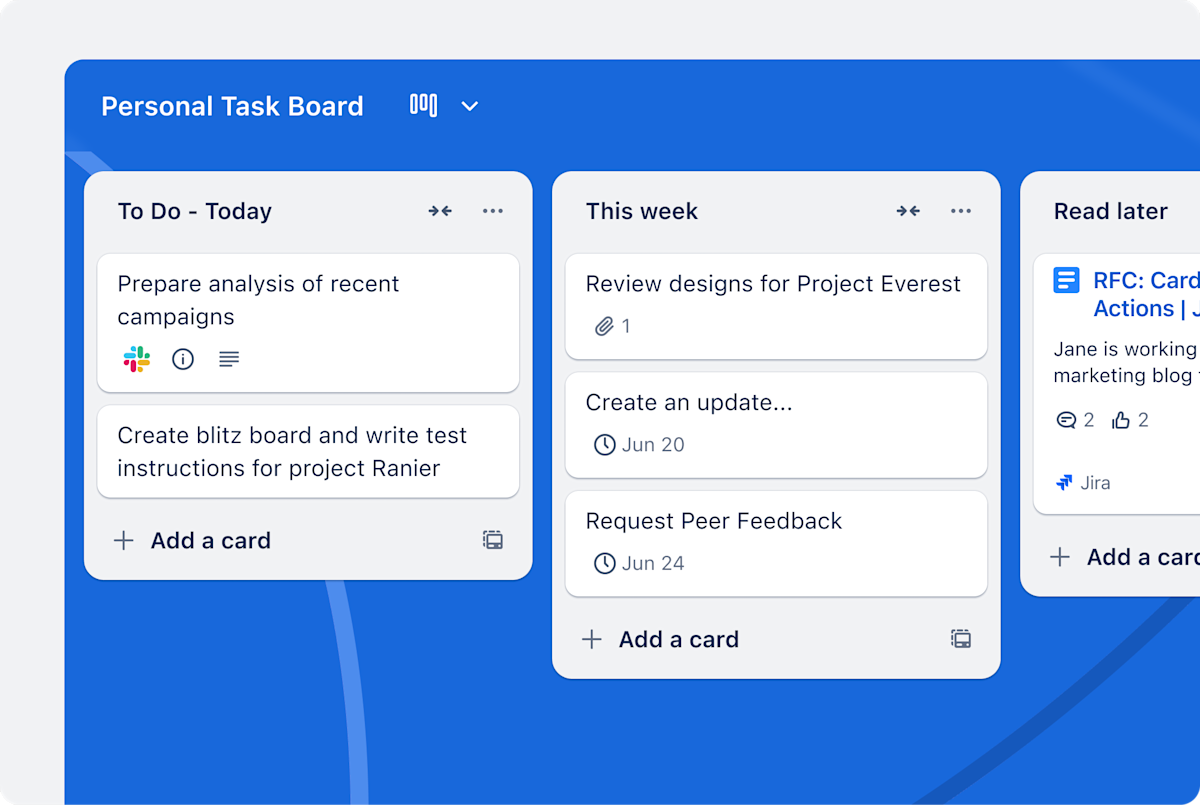
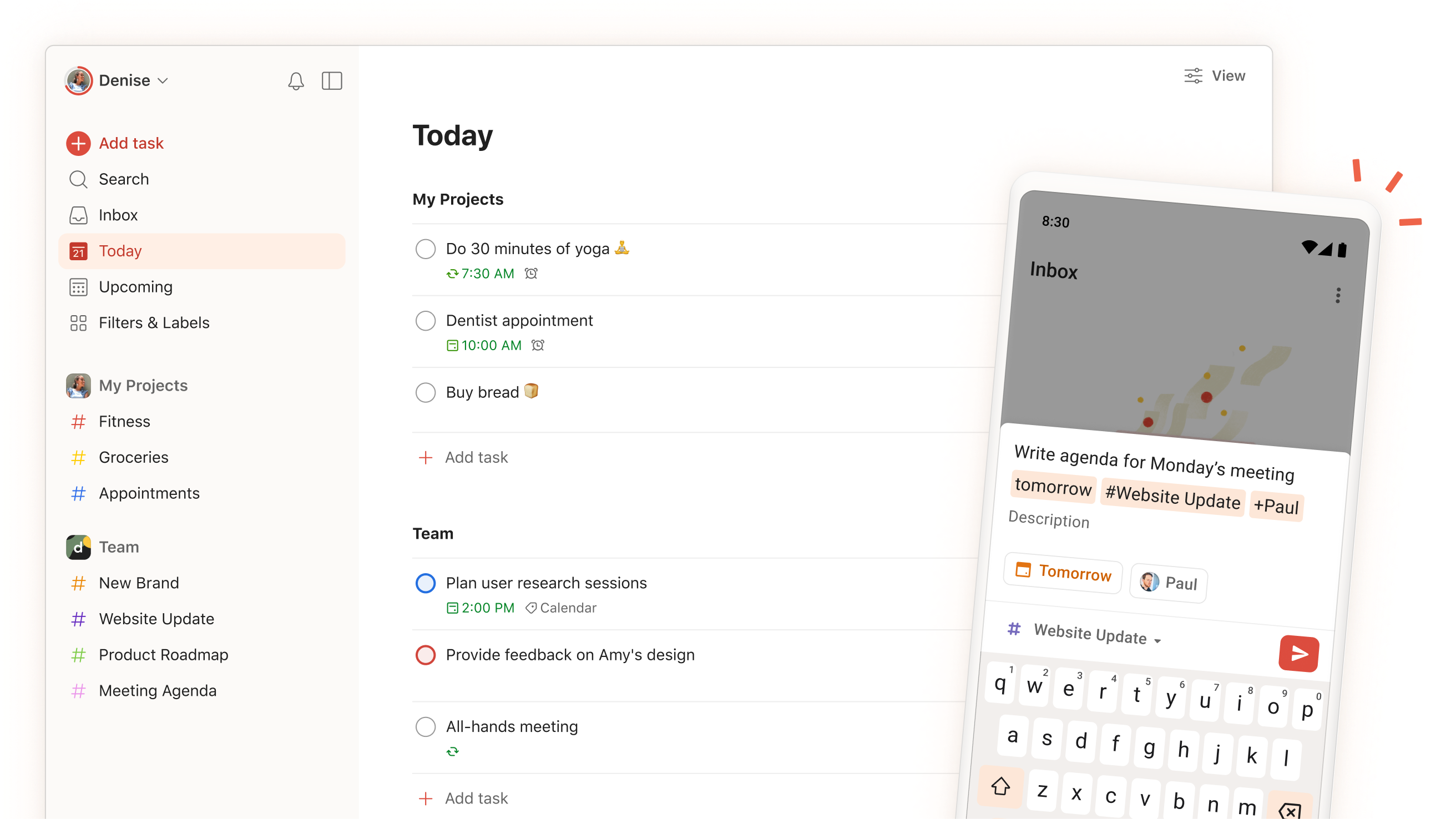
Related interface examples
These publisher images illustrate products in this workflow category. They are supplemental to the archived report, not screenshots from our own testing.